
Peach buying guide · Research
Which iPhone charger do you actually need?
Choose between USB-C, Lightning and MagSafe, check your existing charger and avoid buying accessories you do not need.
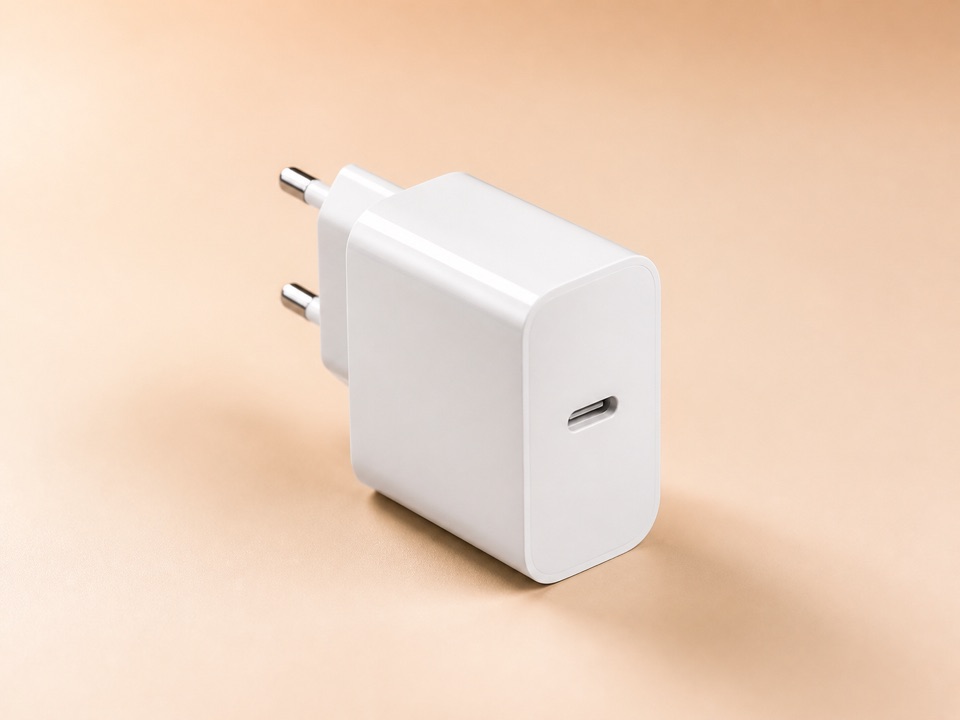
Check the charger you already own
Buying a new iPhone does not automatically mean buying a new charger. First read the wattage printed on your existing adapter and check its port. If your accessories already support the charging method you need, reusing them is our first choice. A purchase makes most sense when you lack the right connection, need a second charging location or have a specific reason to charge faster.
Match the cable to your iPhone
For wired fast charging, Apple distinguishes USB-C cables for iPhone 15 and later from USB-C to Lightning cables for earlier models. A USB-C adapter alone therefore does not solve every connection problem. Check both ends of your cable and what is included before ordering. An existing USB-A cable cannot plug directly into the USB-C port of the adapter linked below.
20W is not a universal recommendation
Requirements for the fastest charging vary by iPhone generation. For example, Apple specifies a 40W or higher adapter for iPhone 17, 17 Pro and 17 Pro Max, and a 20W or higher adapter for iPhone 17e and iPhone Air. A 20W adapter is an option when it meets your requirements, not a promise of maximum charging speed for every iPhone. Use Apple's current model-specific guidance linked below.
MagSafe for a regular charging spot
MagSafe may be useful if you regularly leave a compatible iPhone on your desk or bedside table. Before buying, check your iPhone model, the exact charger generation, your case and the required adapter output. If you are happy charging by cable, you do not automatically need MagSafe as well. A higher adapter wattage on its own does not guarantee a particular wireless charging rate.
Four questions before you order
Does the mains plug fit the socket where you will use it? Does the accessory support your exact iPhone and intended charging method? Are the right cable and any required adapter included? What is the total including shipping? When shopping across borders, also check the delivery address, return conditions and seller details in the store that actually opens.
Two options from our existing selection
These links come from our existing selection dated 19 August 2026. Current sellers, availability and listing variants have not been verified today. No price or discount is promised.
Apple 20W USB-C Power Adapter
For an extra wired charging spot when you have the right cable and compatible power requirements. Do not assume the fastest charging for every iPhone.
Apple MagSafe Charger (1 m)
For a regular wireless charging spot. Check the exact generation, iPhone compatibility and required power adapter first.
Manufacturer sources and editorial judgement
Technical information is based on Apple Support. Recommendations for everyday situations are editorial conclusions, not measured test results.